
Playwright vs Selenium is one of the most common questions asked by automation engineers in 2026. In this guide, we compare Playwright and Selenium based on real-world company usage, performance, CI/CD integration, and interview expectations.
Playwright vs Selenium – Real World Comparison
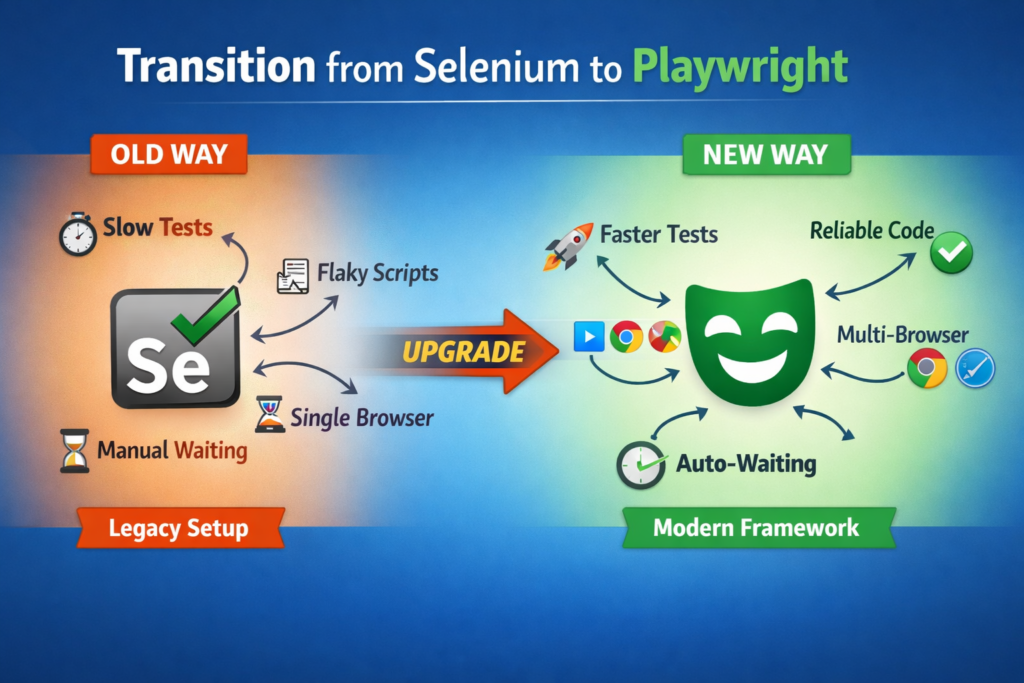
Many companies are moving from Selenium to Playwright because Playwright is faster, more reliable, and easier to maintain for modern web applications. It has built-in smart waiting, better handling of dynamic elements, and supports multiple browsers from a single setup, which reduces flaky test failures. In simple terms, Playwright makes automation more stable, quicker to run, and easier for teams to manage compared to Selenium.
What Selenium Is Still Good For ?
Selenium is still very useful in many real-world scenarios, especially where automation frameworks are already well established.
Selenium works best for legacy projects where a stable automation framework is already built and rewriting everything in a new tool would be costly and risky. Many enterprise applications that were automated years ago still run smoothly on Selenium with proven stability.
It is also strong in the Java ecosystem, where teams use TestNG, JUnit, Maven, Gradle, and other mature tools. Java-based Selenium frameworks integrate easily with enterprise systems and CI pipelines.
Finally, many companies continue using Selenium because of their existing frameworks. These frameworks already include reporting, CI/CD, data handling, and utilities, so maintaining and enhancing them is more practical than migrating everything to a new tool.
Why Playwright Is Growing Fast?
Playwright is growing fast because it is designed for modern web automation and solves many problems that testers face with traditional tools
Speed
Playwright is very fast because it directly communicates with modern browsers and runs tests efficiently.
For example, if 100 test cases take 40 minutes in Selenium, the same tests may finish in 15–20 minutes in Playwright.
Auto-waits
Playwright automatically waits for elements to be visible, clickable, and ready before performing actions.
For example, when you click a login button, Playwright waits for the button to load instead of failing with “element not found” errors.
Parallel Execution
Playwright can run multiple tests at the same time using multiple browser instances.
For example, 10 test cases can run together instead of one by one, reducing total execution time drastically.
Multi-browser in One Tool
Playwright supports Chrome, Firefox, and Safari using a single setup and configuration.
For example, the same test can run on Chromium, Firefox, and WebKit without changing any code.
Here is a detailed and real-world explanation of how companies actually use Playwright in production automation projects:
Using Playwright in CI (Continuous Integration)
In real companies, automation is not run manually by testers every day. Instead, Playwright is connected to CI tools like Jenkins, GitHub Actions, GitLab CI, or Azure DevOps. Whenever a developer pushes code:
- CI server pulls the latest code
- Installs dependencies
- Runs Playwright tests automatically
- Generates test reports
- Notifies the team if tests fail
Why companies do this:
- Bugs are caught early
- No need for manual regression every time
- Faster releases
- Developers get quick feedback
Combining API + UI Testing in One Framework
Modern applications are built using APIs and frontend UI together. Companies use Playwright for both API and UI testing in the same framework.
How teams use it:
- Use API calls to create test data (faster than UI)
- Use UI to validate user behavior
- Clean up data using API
This makes test faster, more stable and less dependent on UI flows.
Running Parallel Tests to Save Time
In large companies, test suites can contain hundreds or thousands of test cases. Running them one by one would take hours. Playwright solves this with parallel execution.
How parallel execution works:
- Multiple browser instances run at the same time
- Tests are divided across machines or CPU cores
- Each browser runs different test files
Example:
If you have 100 tests:
- Sequential execution → 2 hours
- Parallel execution → 15–20 minutes
This helps companies:
- Get faster feedback
- Run full regression daily
- Support frequent releases
This is why Playwright is becoming the default automation tool in many modern tech companies.
Interview Question: Why would you choose Playwright over Selenium?
From an interview perspective, Playwright vs Selenium is often discussed to evaluate a candidate’s understanding of modern automation tools. A great reply would be:
I would choose Playwright over Selenium because Playwright is faster, more reliable, and better suited for modern web applications. It has built-in auto-waiting, which reduces flaky test failures, and supports parallel execution out of the box, making test runs much quicker. Playwright also supports multiple browsers like Chrome, Firefox, and Safari in a single setup and provides powerful debugging features such as trace viewer, screenshots, and video recording, which make troubleshooting easier compared to Selenium